
How to Set Up a Convenient Charging Station for Your Devices
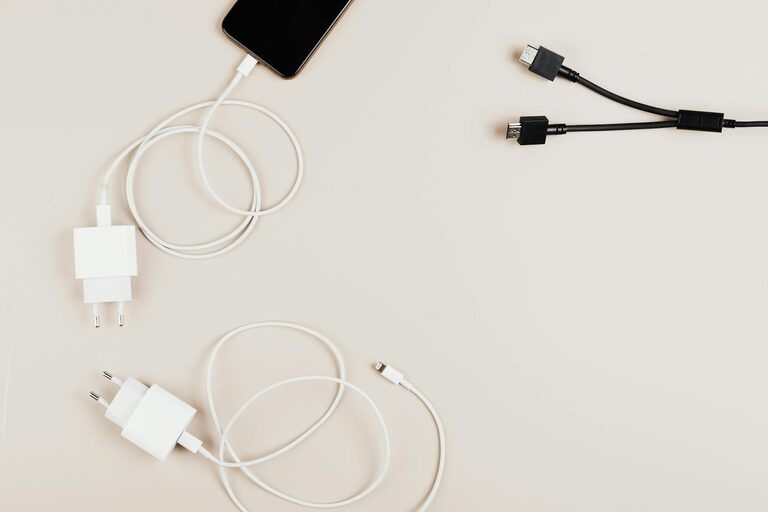
Creating a dedicated charging station for your electronic devices is a practical way to keep your space organized, reduce clutter, and ensure your gadgets are always ready to use. Whether you have smartphones, tablets, smartwatches, or wireless earbuds, setting up a central charging spot can simplify your daily routine.
In this guide, we’ll walk you through everything you need to know to set up a convenient and efficient charging station.
Why Create a Charging Station?
Before diving into the setup, it helps to understand the benefits:
– Organization: Keeps cords and devices neatly stored in one place.
– Efficiency: Lets you charge multiple devices simultaneously.
– Safety: Reduces the risk of cables overheating or getting damaged.
– Convenience: You always know where your devices are and that they’re fully charged.
Step 1: Choose the Right Location
Selecting a good spot is the foundation of your charging station.
– Accessibility: Pick a location that’s easy to reach where you frequently use your devices, such as a living room table, bedroom nightstand, or office desk.
– Power Source: Ensure there’s a nearby electrical outlet to plug in chargers.
– Surface: Choose a flat, stable surface free from moisture to safely place devices and chargers.
Step 2: Gather Your Equipment
To set up your charging station, you’ll need:
– Charging Devices: This could include power strips, USB charging hubs, or wireless chargers depending on your gadgets.
– Cables: Collect all necessary charging cables (USB-C, Lightning, Micro-USB).
– Organizers: Cable clips, zip ties, or boxes to keep cords untangled.
– Optional: Small trays or shelves to hold devices and accessories neatly.
Step 3: Select the Charging Hub or Power Strip
Choosing the right charging hardware depends on your needs.
– USB Charging Hubs: These offer multiple USB ports and can charge several devices at once. Look for hubs with smart charging that adjust power according to the device.
– Wireless Chargers: Convenient for compatible smartphones or earbuds, eliminating cable clutter.
– Power Strips: Useful if you have many devices with different chargers. Opt for power strips with surge protection for safe charging.
Step 4: Organize Cables and Chargers
Cable management keeps your station tidy and functional.
– Label cables to identify which device they belong to.
– Use cable clips or sleeves to group cables and prevent tangling.
– Position cables so they reach devices comfortably without stretching.
– Consider velcro straps or twist ties for adjustable bundling.
Step 5: Arrange Your Devices and Charging Gear
Creating an efficient layout makes charging simple.
– Place charging pads or hubs centrally to access all ports easily.
– Use small trays or stands to hold devices upright while charging.
– Avoid stacking devices on top of one another to prevent overheating.
– Keep frequently used devices within easy reach.
Step 6: Maintain Your Charging Station
Regular care ensures long-term convenience and safety.
– Clean the area periodically to avoid dust buildup.
– Check cables and chargers for wear and replace damaged gear.
– Update your setup as you get new devices or chargers.
– Avoid overloading power strips or hubs beyond their limits.
Bonus Tips for an Ideal Charging Station
– Add Lighting: A small lamp or LED strip can help you see ports clearly at night.
– Incorporate Storage: Use drawers or containers to store spare cables and accessories.
– Make it Portable: For those who travel often, using a compact charging station can help keep devices charged on the go.
Final Thoughts
Setting up a dedicated charging station is a simple way to reduce clutter and keep all your electronics powered efficiently. By choosing the right location, organizing cables, selecting suitable chargers, and maintaining the area, you ensure a reliable and neat charging solution for everyday use. Try customizing your station to best fit your lifestyle and device needs — you’ll appreciate the order and convenience it brings!